


I reviewed and tried the AI video platforms and models to see how they perform.
I tested some of the best AI video generators for creating UGC, ads, short-form content, and more to find out which one can generate more polished videos.
I clearly remember how AI was labelled as a joke when Will Smith’s spaghetti video first came out. Now, with a plethora of AI video models outperforming the traditional video creation methods, those jokes have turned into praises.
The AI video generators offer features and functionalities that seemed impossible a couple of years ago. It provides manifold benefits to businesses, marketing professionals, filmmakers, content creators, and even video editors. Marketing and branding teams can quickly create ads and content for social media without any back-and-forth. Before AI video models, this would require the recruitment of professional video creators, audio experts, video editors, and designers. Now, anyone can create high-impact and cinematic videos with just a single prompt and a few references.
I have tested (and created the spaghetti video) using the best AI video generators and evaluated their performance based on a few factors:
- prompt adherence
- character consistency
- image to video workflow
- real-world physics and motion
- camera controls
- length of video and resolution
1. ImagineArt
Specifications:
- Key features: Access to best AI video models, multi-modal input
- Best for: Branding, UGC, ads, social media creators
Reasons to buy:
- commercially safe generative AI output
- built-in AI video editor
Reasons to avoid:
- only 100 free tokens every day
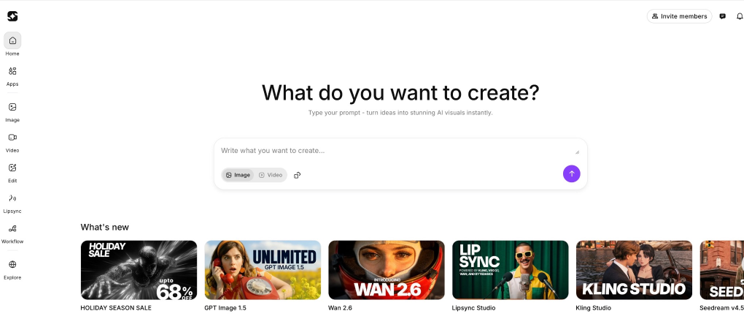
ImagineArt is quickly becoming the go-to platform for AI video generation, and it’s not without reason. ImagineArt AI video generator houses multiple AI video models under one roof and offers text-to-video, image-to-video, and video-to-video generation. However you prefer to start your creative process, the platform accommodates you. The rendering speed is noticeably faster than most competitors I’ve tested, which is a blessing when you’re iterating on ideas.
As far as available models go, ImagineArt embraces the “why choose one when you can have them all” philosophy. You get access to Veo 3.1, Sora 2, Runway, Kling 2.6, Hailuo, Pixverse, WAN 2.6, and Seedance, all from the same generation window. No hopping between subscriptions, no juggling tabs. That’s the kind of consolidation I truly appreciate.
The built-in AI video editor lets you add or remove objects, subjects, text, audio, and graphics. Perhaps the feature that impressed me most during testing was AI Motion Transfer. You can apply movement patterns from one video onto a static image, bringing it to life in ways that feel almost magical. There’s also Character Consistency, which ensures your protagonist looks identical across multiple scenes. This is essential for anyone attempting narrative work.
Need to extend a clip? The AI Extend feature generates additional scenes using video referencing. Want better resolution? The video enhancer upscales footage to 1440p. The AI avatar library deserves mention too. It offers diverse ethnicities, realistic emotions, multiple languages and dialects, complete with a dedicated lip-sync studio.
This barely scratches the surface. You also get native audio generation, music creation, UGC ad tools, sizzle reel templates, product advertisement presets, and node-based workflows that make team collaboration surprisingly intuitive. The value proposition here is strong: essentially everything generative AI, bundled into one subscription.
2. Google Veo 3.1
Specifications:
- Key features: video/scene extension, native audio support
- Best for: Professional filmmaker and content creators
Reasons to buy:
- error-free and flawless AI videos
Reasons to avoid:
- expensive; others come under $15/month.
- previews aren’t available
Google’s Veo 3.1 is the benchmark for high-quality, high-fidelity, controllable AI video generation. In my experience (and tests), only a few other AI video models match Veo 3.1’s cinema-grade precision when it comes to prompt adherence, especially with complex, realistic directions.
Alright, what do I like about it besides the prompt adherence? Well, Veo 3.1 creates natural dialogue, speech, and sound effects, which make it an early representative of AI film production.
Google Veo 3.1 offers realism in videos: lighting, motion, and camera movements are consistently strong, even in dense multi-object scenes. That said, the model can feel heavy, and rendering times are sometimes longer than Kling and other lightweight generators.
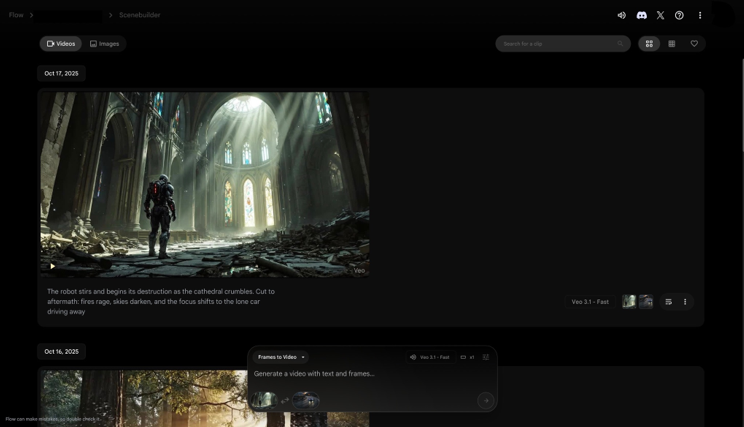
I tested frames-to-video and ingredient-to-video features of Veo 3.1, and the results were quite impressive. The ingredients blend together in the scene without any visual artefacts, and the frames transition without any glitches – that’s a major improvement from Veo 3. In one test, I didn’t instruct the AI video model about audio cues, but the AI synchronized a fitting background music and SFX.
You can experiment with Google Veo 3.1 on a free trial of Google AI Studio. The paid plans start from $19.99/month per user with limited credits for Veo 3.1. Other generative AI tools like Adobe Firefly and ImagineArt also offer Google Veo 3.1 APIs for a lower price.
3. Sora 2 Pro
Specifications:
- Key features: Adding ‘cameo’, object permanence
- Best for: Marketers, casual users, content creators
Reasons to buy:
- super cinematic videos
- easy-to-use
- ChatGPT ecosystem
Reasons to avoid:
- watermarks
OpenAI’s Sora 2 Pro is rivaling Google Veo 3.1 in cinema-grade AI video generation. It offers stunning realism in rendering human bodies, textures, motion, and expressions. The AI video model demonstrates incredible improvement in understanding real-world physics, object interaction, and cause and effect relationship. The object permanence has improved compared to the previous model. Sora 2 creates AI videos like a VFX team has been at work.
The AI video model can generate human dialogue, soundscapes, background music, and sound effects at a natural tone with the right pacing, making the video feel real. The AI ensures the generated dialogues and sounds match with the on-screen character’s lip movements and actions for a richer viewing experience.
Character consistency is one strong feature of Sora 2 Pro. If you are using the social media app of Sora 2, you can even create video remixes we call “Cameo” and swap faces of real-life characters in multi-shot stories with remarkably stable identities.
What I found impressive was Sora 2’s ability to maintain temporal consistency across multiple shots. Each element, character, and environmental setting remain same across transitions. Because Sora 2 renders high-quality creative output, it generates videos slowly as compared to other Kling, Hailuo, and ImagineArt.
4. Runway ML
Specifications:
- Key features: Built-in AI video editing tool, frame interpolation
- Best for: Filmmakers, media organizations & studios
Reasons to buy:
- great for commercial use
- interface is easy to use
Reasons to avoid:
- not for short AI films
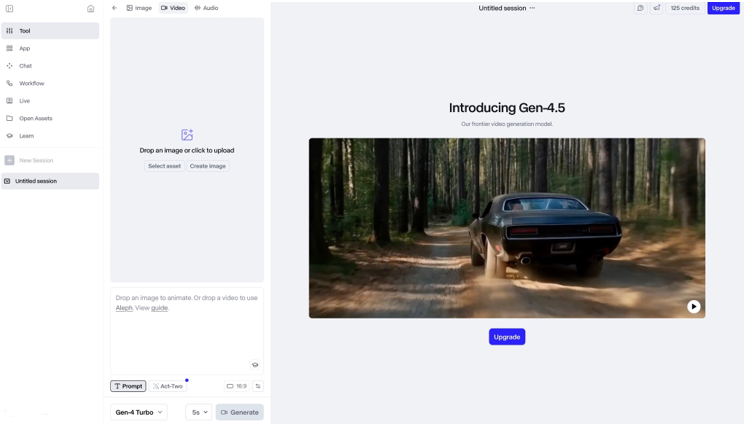
Runway ML’s AI video generation models lead in video transformation and motion transfer, and in so many ways, that’s the hotspot for marketers and training professionals. The AI video generator excels at prompt interpretation and execution, with accurate detailing of scenes and camera logic. Runway AI video models have exhibited improved frame-to-frame stability and temporal consistency. It can generate videos without object or character morphing, flickering, and visual artefacts.
When I tested Runway, I picked my old training video and a new professional headshot and gave some text prompts, and Runway created a new video in less than 5 minutes for almost $5. This cost benefit attracts so many serious marketers and content creators in short-form niches.
I found Runway ML best for stylizing existing footage, blending creative concepts, and turning existing clips into new visual narratives. It did deliver aesthetically polished videos.
Runway ML also offers built-in AI video editing features, including object removal and background removal, along with a dedicated AI video editing model, Runway Aleph. It has frame interpolation options, with which you can add smoother and realistic slow-motion effects.
Runway has an easy interface, and its Gen 4.5 References model works best if you want to use the image-to-video workflow for content creation and advertisements.
5. Kling 2.6 and O1 Video

Specifications:
- Key features: Native audio & advanced video editing
- Best for: Storytellers, advertisers & UGC
Reasons to buy:
- easy prompting
- bulk and cheap content creation
Reasons to avoid:
- censorship issues
Kling AI’s 2.6 Native Audio and O1 Video are competing as top AI video generators against the Western models. With the addition of video-to-video transformation and video editing workflows, creators literally have all-things-video. The platform can now support multiple inputs, including start and end frames, reference elements, reference videos, text prompts, and up to 7 reference images.
I highly recommend Kling because it follows prompts to the dot: basic to highly detailed prompts render beautifully and creatively in Kling Studio. I tested Kling and experienced high creative freedom with camera control, object motion, and overall scene direction. With Kling as well, video professionals (animators and editors) don’t need multiple tools to stitch the final output. Kling brings one-click functionality to most of the video production and post-production processes. Kling AI can generate videos of varying length, ranging from 3 seconds to 10 seconds with high-fidelity visuals of up to 4K resolution.
The best thing about Kling is the easy interface: there are effects and presets for so many output types. You don’t even have to type prompts for those results and simply use filters to get the desired visuals.
Kling is best for creators and marketers who want product videos and short clips in bulk at a low price.
6. Hailuo AI Video
Specifications:
- Key features: Customizable creative control, keyframes & subject referencing
- Best for: Content marketers, social media creators, online educators
Reasons to buy:
- fast rendering for short videos
- beginner-friendly interface
Reasons to avoid:
- no native audio support
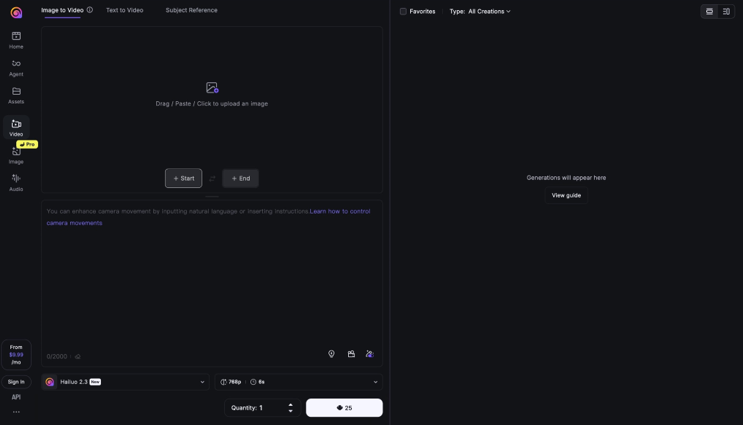
Hailuo AI is another Chinese lightweight model that is capable of creating short-form video content. The AI video model features extensive customization capabilities, with a vast library of templates, visual styles and effects, and fine-tuning options.
I found Hailuo AI a perfect tool for casual users, social media creators, and TikTok videos. With subject reference and image fusion, the AI model ensures thorough consistency across multiple shots and maintains facial, body, wardrobe, and style details. The AI video model supports video generation of up to 10 seconds with a maximum resolution of 1080p.
One of Hailuo AI’s standout features is its camera path editor. It lets you define dynamic camera movements at various timestamps via a cursor-based interface. The platform has a scene enhancement option with which you can layer lighting, mood, environment, and atmosphere over the prompts. The generated videos look more detailed and well-composed.
Hailuo AI supports faster workflow when animating still images. It even has a built-in prompting assistant powered by DeepSeek AI to brainstorm and compose better prompts based on suggested topics.
However, the AI video models don’t have native audio support, which means you need an external video editor to synchronize audio and visuals. However, Hailuo AI offers a dedicated AI voiceover and voice cloning platform that can convert text-to-speech in more than 40 languages.
7. PixVerse AI
Specifications:
- Key features: Multi-shot storytelling, extended video duration
- Best for: Beginners, influencers, & social media creators
Reasons to buy:
- visually striking stylized videos
- faster video rendering
Reasons to avoid:
- quicker credit consumption
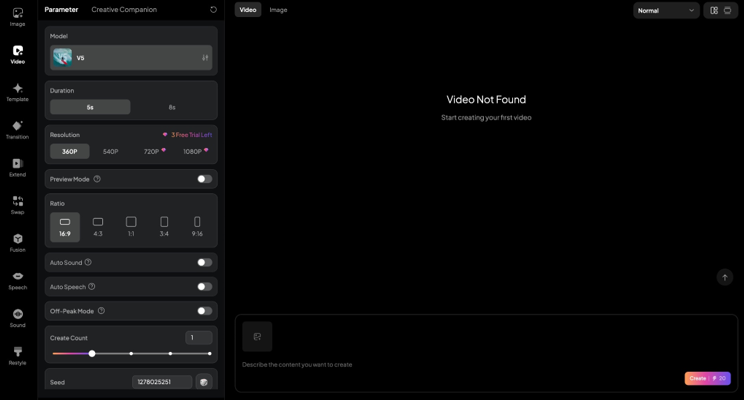
PixVerse AI stands out with extensive cinematic control with over 20 camera lens and movement specifications. It empowers marketers and creators to accomplish a certain style and aesthetic with accuracy. The AI video model is optimized for diverse visual styles and cinematic realism.
The platform includes a built-in library of viral visual effects, designed for social media creators to produce viral content within a few minutes, without any manual editing. Pixverse AI offers faster video rendering with its ‘turbo’ feature that with which you can generate a video in less than 20 seconds.
I tested the latest installation PixVerse 5.5, inputting a lengthy prompt, and it demonstrated improved prompt understanding and adherence. The gestures and movements were quite convincing, translating subtle nuances and adding a realistic feel.
PixVerse AI offers a simple-to-use interface for text-to-video and image-to-video workflows. The platform offers complete creative control over pace, audio cues, visual effects, and composition. With PixVerse AI, you can create a 10-second video of up to 1080p resolution utilizing built-in effects categories and native audio support. The AI video model allows for a single start frame input, making it perfect for short-form content and ads.
8. Wan 2.6
Specifications:
- Key features: Audio visual synchronization, enhanced realism
- Best for: Online educators, advertisers, & YouTubers
Reasons to buy:
- strong prompt compliance
- multi-lingual support
Reasons to avoid:
- not ideal for long videos
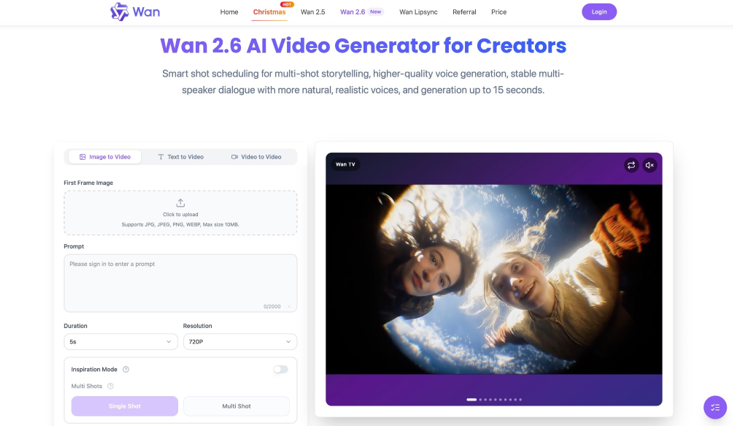
A flagship AI video generation model by Alibaba, Wan 2.6 is built as a one-stop solution. The AI video model offers multi-lingual support and comprehensive lip-sync, video extension, and audio generation capabilities.
Prompt adherence is one of the key strengths of this model. It offers refined natural language understanding and precise interpretation with camera control capabilities. The AI video model supports text-based instructions, image reference, and reference videos to create cohesive videos with consistent motion across frames. The AI video generator has capabilities to handle multi-shot generation, ensuring the different shots and frames transition well with the narrative flow.
I did try a number of prompts along with start and end frame features to test character consistency and scene continuity. The visuals transitioned quite well, without artefacts or AI glitches. However, in certain videos, the hand movements seemed unnatural, which required me to reiterate and improve my prompt.
With Wan 2.6, you can create complete music videos, instrumental versions of songs, and even release your own songs with its multi-voice and music generation features. It can create videos of up to 15 seconds and 1080p resolution.
9. Synthesia
Specifications:
- Key features: AI avatars, multi-lingual support
- Best for: Corporate training, talking head videos
Reasons to buy:
- Ease of use
- excellent lip-sync and consistency
Reasons to avoid:
- not for cinematic content
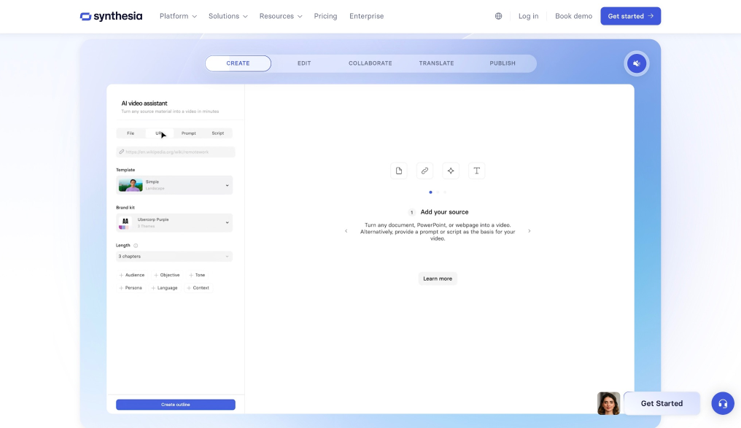
Synthesia AI focuses on streamlining the video production process with accelerated workflows. It can help you create longer videos in a matter of a few minutes, making it a perfect marketing and sales tool.
It stands out with its pre-defined lifelike AI avatars, speaking in more than a hundred languages and improving overall character consistency. The text-to-speech feature adds to the prompt understanding — this is a must-try feature! Synthesia AI can create AI avatar videos in more than 120 languages and various accents, giving marketers an option to create content for a global audience.
Synthesia AI also comes with an intuitive AI video editor that allows you to ensure the video content is tailored to your needs. You can add visual and graphics such as text and logos, customize color palette, and adjust the visual style to fit your requirements. The platform even has a dedicated feature for creating AI screen recordings that automatically eliminates the filler words and pauses for cleaner output. This feature makes Synthesia AI an ideal selection for tutorial and demo videos.
While templates add to consistency, it also restricts the camera control and degrades the quality of output when prompted for cinematic scenes.
10. Pictory AI
Specifications:
- Key features: Brandkit customization, AI voiceovers
- Best for: Marketers, influencers, & bloggers
Reasons to buy:
- excellent for turning text into videos
- fast content repurposing
Reasons to avoid:
- no cinematic AI generation
- restricted creative control
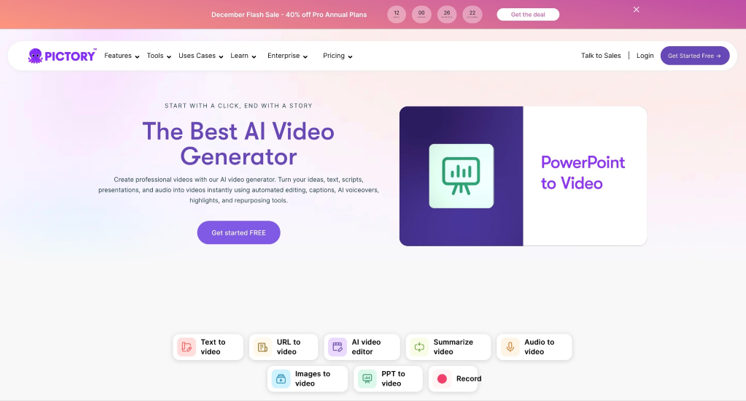
Pictory AI is not like a conventional AI video generation model, but rather a content repurposing tool for converting text-based content into videos without needing any editing skills. It is designed for high-volume content production.
The AI video tool relies solely on stock images and footage for video creation, ensuring visual integrity and consistency. The motion dynamics and camera logic also depend on the selected stock assets, including images and videos. The video length varies with the chosen subscription plan. You can generate 30-minutes long video of up to 1080p resolution with the higher tier.
The strength of Pictory AI lies in its support for multiple input types. You can add a long script, attach images and screen recording, insert URLs or even PPTs, and export in formats compatible with different video-sharing and social media platforms.
One of the highlights for me was Pictory’s vast voice library. It includes AI voiceovers in different languages, dialects, tones, and accents with over 60 standard voices and 70 premium ones by ElevenLabs. The AI synchronizes the selected narration with the visuals and captions, which eliminates the need for manual editing. You can add pauses and adjust the pace and tone for a more natural and human-like delivery.
Best AI Video Generators: Glossary
Some common terms you’ll encounter in the AI video generation world.
Aspect Ratio The proportional relationship between a video’s width and height. For instance, widescreen for YouTube is 16:9, while tallscreen for TikTok and Instagram Reels is the reverse: 9:16. Most AI video generators let you select your preferred ratio before generation begins.
Character Consistency The ability to maintain the same character appearance across multiple generated clips. Without this feature, generating a second video with the same person often results in noticeable differences in facial features, clothing, or body type.
CFG Scale (Guidance Scale) A setting that controls how closely the AI follows your prompt. A higher value means stricter adherence to your instructions, while a lower value gives the model more creative freedom. Finding the right balance often requires experimentation.
Credits (or Tokens) The currency used by most AI video platforms. Each generation costs a certain number of credits depending on resolution, duration, and the model used. Subscription plans typically include a monthly credit allowance.
Frame Rate The number of frames displayed per second (FPS). Most AI video generators output at 24FPS or 30FPS by default. Some platforms offer higher frame rates like 60FPS, though this usually consumes more credits.
Generation Time The amount of time it takes for the AI to process your prompt and produce a video. This can range from a few seconds to several minutes depending on the model, resolution, video length, and server load.
Image-to-Video A generation mode where you upload a static image, and the AI animates it into a video. This is useful when you want precise control over the visual starting point.
Inpainting The process of editing specific areas within a generated video. You mask out the section you want to change, and the AI fills it in based on your new instructions while keeping the rest intact.
Lip Sync The process of matching mouth movements to spoken audio. Some AI video generators can automatically sync an avatar’s lips to a voiceover, making it appear as though the character is speaking naturally.
Motion Transfer A feature that applies the movement from one video onto another image or clip. For example, you can take a dancing video and transfer that motion onto a still portrait.
Negative Prompt Instructions telling the AI what to avoid in the generated output. If you want to prevent blurry footage, distorted faces, or specific visual elements, you include them here.
Prompt The text description you provide to tell the AI what kind of video to generate. A well-written prompt includes details about the subject, action, environment, lighting, camera angle, and style. The more specific you are, the better the output tends to be.
Resolution The pixel dimensions of your generated video. Common options include 720p, 1080p, and 1440p. Higher resolution produces sharper footage but often costs more credits and takes longer to generate.
Seed A numerical value that determines the randomness of the generation. Using the same seed with the same prompt will produce identical or very similar results. This is useful when you want to recreate or slightly tweak a previous output.
Text-to-Video A generation mode where you type a written description, and the AI creates a video from scratch based on that prompt. This is the most common method of AI video generation.
Upscaling The process of increasing a video’s resolution after generation. Many platforms offer built-in upscalers that enhance footage to 1080p or 1440p without significant loss of quality.
Video-to-Video A generation mode where you upload an existing video, and the AI transforms it based on your prompt. This can be used to change the style, add effects, or reimagine the footage entirely.
Video Extend A feature that generates additional frames at the beginning or end of a clip, effectively lengthening the video. Useful when you need a few more seconds but do not want to start from scratch.
AI Video Generator FAQs
What is an AI video generator?
An AI video generator is a tool that creates video content from text prompts, images, or existing footage using artificial intelligence. It’s how marketing videos, social media content, and creative projects can be produced without traditional filming or animation skills, although you don’t have to be a professional to find these tools useful. You’ll typically find three main generation modes available: text-to-video, image-to-video, and video-to-video.
The very best AI video generators will offer an intuitive interface and multiple export options for common video formats, such as .MP4 and .MOV. These will play on most modern devices, including phones, televisions, and computers. Most platforms will also allow you to adjust settings like resolution, aspect ratio, and frame rate before generation begins.
Can AI video generators be used for visual effects?
Some of the best AI video generators include built-in editing capabilities, notably platforms like Runway and ImagineArt, which let you add or remove objects, apply style transfers, and composite elements.
Generally, though, while many now let you transform footage in impressive ways, you shouldn’t expect to achieve the same level of control as dedicated VFX software. For frame-by-frame precision work, you’ll still need tools like Adobe After Effects or one of the best alternatives to After Effects.
You don’t need to combine these workflows, but be aware that AI video generators excel at creative exploration and rapid iteration rather than the granular adjustments that VFX professionals require.
Who should use AI video generators?
Video is now one of the most widespread mediums, and AI video generators are no longer just for tech enthusiasts or early adopters.
Whether you’re in a sales and marketing team looking to boost your company’s reach, a social media content creator, or a YouTuber searching for fresh visuals, AI video generators are a great way to produce professional-looking footage without a camera crew or animation budget.
They’re also very suitable for personal projects such as bringing old photos to life, creating custom birthday messages, or visualizing creative concepts. Essentially, if a project you’re planning involves video and you lack the time, equipment, or expertise to produce it traditionally, the best AI video generators could be the easiest way to make it happen.
How to Choose the Best AI Video Generator
When choosing which AI video generator is best for you, it’s a good idea to evaluate the skill level of all users. Platforms like Runway may produce cinema-grade results, but you’ll find plenty of alternatives out there, whether you’re an experienced filmmaker, a marketing professional, or completely new to video creation. If you or your team have never worked with generative AI before, start small with a beginner-friendly platform that offers simple text-to-video generation.
Have a clear idea of cost. There are some great free AI video generators available if you’re working with a tight budget. For more advanced tools, consider whether a monthly subscription with credit allowances works for you, or if you’d prefer pay-as-you-go pricing. Keep in mind that higher resolutions and longer videos typically consume more credits.
Check what extra features you need, and whether your chosen platform is best suited to your use case. For example, you may need character consistency for narrative projects, or lip sync capabilities for avatar-based content. Alternatively, you may want access to multiple AI models under one roof, so you can experiment with different visual styles without switching platforms.
Also consider what generation modes matter most. Some platforms excel at text-to-video, while others produce better results with image-to-video. If you already have footage you want to transform, look for strong video-to-video capabilities. Not every tool handles all three equally well.
Finally, you want to select the AI video generator that best fits your own creative flow.
How I Tested These AI Video Generators
When we test the best AI video generators, we’re looking at what the user needs, how well the tool meets those expectations, and how they compare against each other.
As an example, we’ve compared Sora 2 vs Veo 3.1 and Runway vs Kling, to help you find the best AI video generator for you.
During the testing phase, we expect an intuitive interface and a smooth generation experience. Even in more advanced platforms with multiple models and editing tools, a steep learning curve should be no barrier to creating professional quality videos.
Output quality is critical. We evaluate video resolution, visual integrity, motion consistency, and how well the generated footage holds up under scrutiny. AI video generation is a resource-intensive process, and we want to see stable performance, reasonable generation times, and results that match the prompt.
We used similar prompts across all platforms, both basic and complex, and experimented with multiple visual styles. This allowed for fair side-by-side comparisons. The rankings are based on those direct evaluations.
We also assess how well each platform meets the needs of its intended audience. Not all AI video generators are created equal. Those tools that are ideal for enterprise marketing teams might not hit right for independent filmmakers or content creators on YouTube and TikTok. Understanding who the tool is built for matters just as much as how well it performs.
